Redragon K530 Review: Too Good To Be True?

When I was looking for a cheap and decent 60% board with hotswap capabilities, the Redragon K530 caught my eye. But when I received the K530 in the mail I was very disappointed for two reasons.

The Verdict
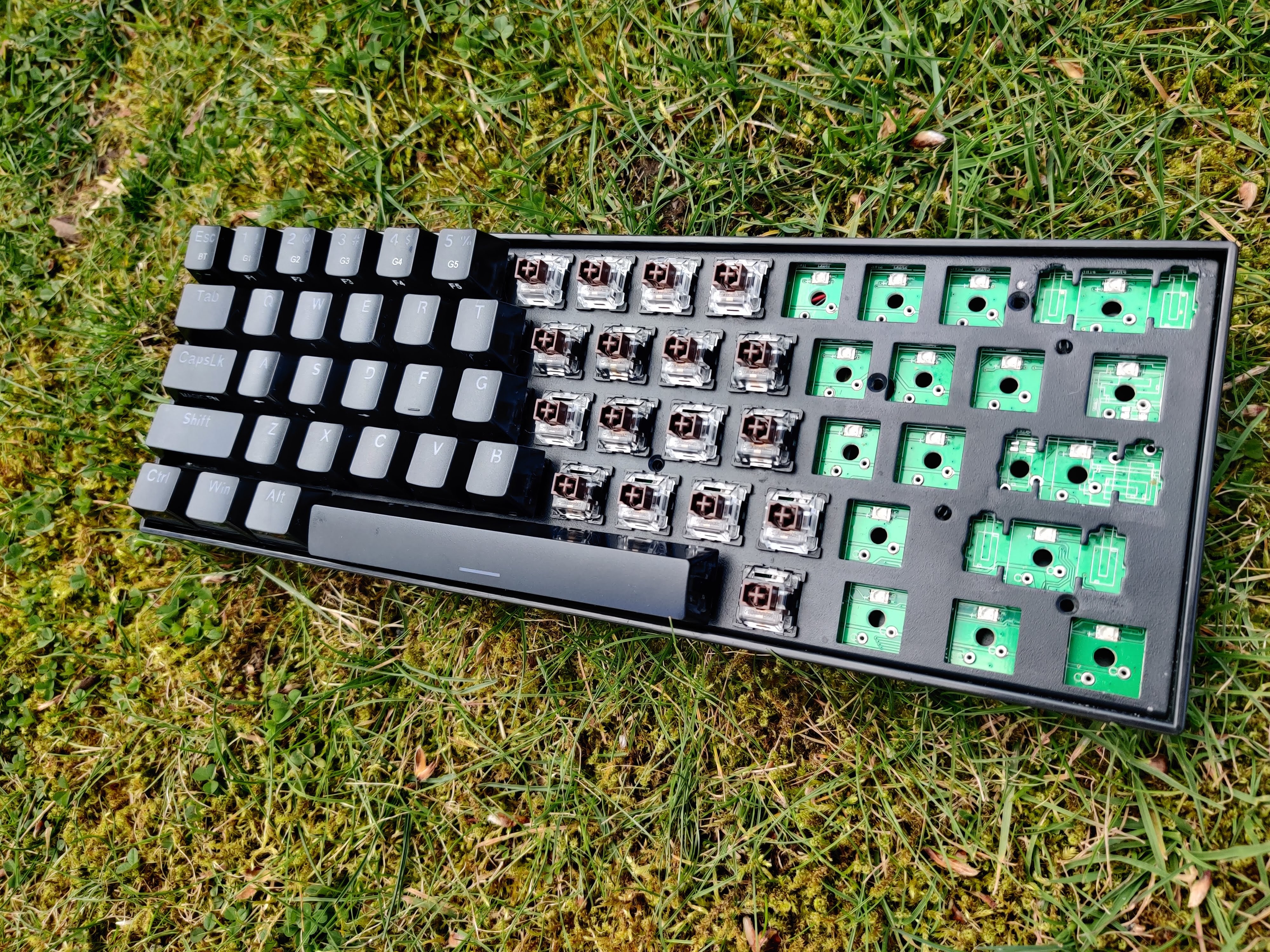
Redrapon K530 mechanical keyboard on grass

Rating: 3 out of 5.

The Redragon K530 is an entry-level budget mechanical keyboard with a 60% layout. It’s Redragon’s first attempt at a 60% keyboard dating back to January of 2020. It delivers shockingly good Bluetooth and hotswap at a decent price with some caveats.

You get a nice simple, solid plastic case in either black or white. It also features one level of height adjustment with some rubber-tipped flip-out feet.

Unfortunately, it only comes with 2 switch options. Either linear reds or tactile browns, more on this later. Lastly, and one of the more important and eye-catching features is the hotswap capabilities or lack thereof.

If you want awesome Bluetooth capabilities and a decent case then this board is perfect for you.


In The Box

In the box you receive quite a bit especially at this price point.

  • The Keyboard: Obviously.
  • Plastic Keycap Puller: Its a standard red puller you will get with most prebuilts. It’s not very good and will scratch up your keycaps. We recommend getting a metal one from amazon.
  • Tiny Metal Switch Puller: If you do choose to remove the switches use this. It’s not very good for ergonomics but it gets the job done. By the time you’re finished with all the switches you will question why you even started taking the switches out because of how painful it is.
  • USB Cable: Right angle on the keyboard side to incorporate the USB connector on the side of the keyboard. Not braided but doesn’t develop any kinks, not the greatest cable either.
  • Extra Switches: This is pretty cool, it comes with an extra brown switch, but also comes with an extra Red (Linear but quite light), Black (Linear but heavier then red), and Blue (Clicky with the same weighting as browns.) This is pretty cool if you wanna try out different switches and how they feel.
  • Redragon Sticker: Tacky little sticker with the Redragon logo for people who want to rep the Redragon brand.
  • Documentation: Boring boring boring, except for the manual with all the key bindings and layers, that’s quite useful.
Advertisements

Build Quality

K530 features a fully rectangular case. No weird shapes like the Keychron K6 or slots for aluminum panels. The case is solid and has barely any flex. On the back, there is a pair of kick-up feet with only 1 level of elevation and a label with some information and branding. Personally, I like it using it without the kick-up feet which makes it has about a 5-degree typing angle but with the feet, it will get up to about 8 degrees.

On the left side, there is a switch for Bluetooth on and off and a 3-way switch to change between Bluetooth modes with an RGB led next to it so show what mode you are on. Another LED is also there to show the battery and when you enter pairing mode.
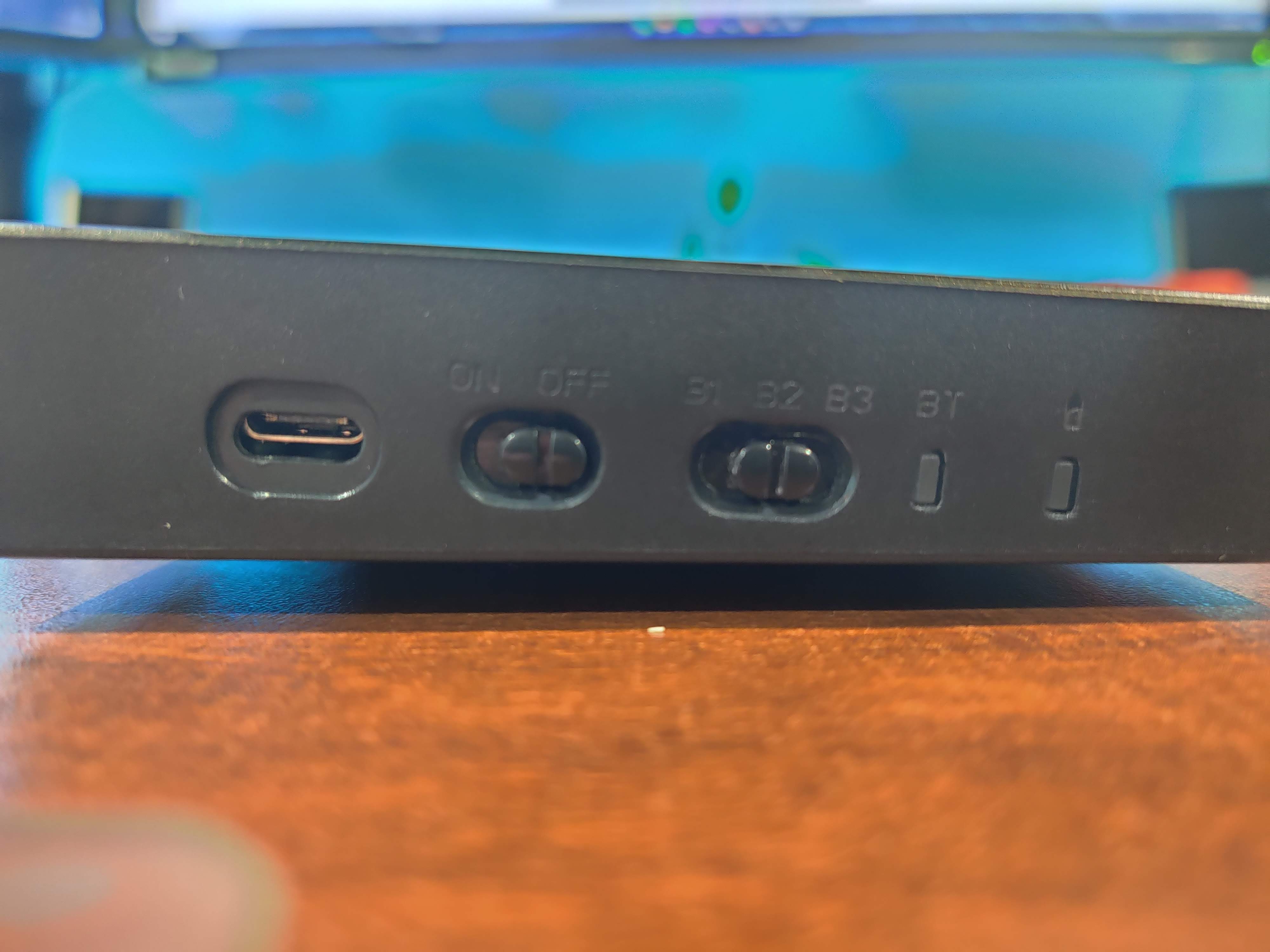
Buttons on Redragon K530 keyboard

The USB port is on the side, which is a downside for many people. It basically cuts the use of any custom cables and can be negative towards cable management depending on how your setup looks.

Advertisements

Stock Keycaps

The K530 comes with a set of ABS, double-shot keycaps. These keycaps don’t look very good with a significant and undesirable gamerey font. Speaking of the font it is also very inconsistent where the same letters look different on keys. While this may not be a bad thing the stock keycaps also have shiny and smooth sides which can be prone to scratching and fingerprints.

They are low-quality ABS which means they will shine up very easily and don’t feel very good when typing. Depending on how much you sweat and how much use the keyboard it will shine up in a couple months due to the natural oils and greases produced by your hands.

The keycaps are OEM profile which is common throughout prebuilt keyboards as such. The keycaps are sculpted in a way to hold your hands in place. Refer to the infographic below to see various keycap profiles and their height.

Comparison of different keycap profiles
Via Reddit: u/gtderEvan

The keycaps are either full black or full white. No accents or MAC extras. The sub legends are printed on the side of the keycaps that face you for ease of access.

The Stabilizers

This board features cherry-style plate mount stabilizers that could use some work. They are neither pre-clipped nor pre-lubed but since this keyboard is hotswap both can be done very easily.

Generally, every stabilizer set needs to be lubed for a good experience so if you would like to lube your stabilizers check out this guide by keyboard enthusiast Taeha Types.

Hotswap
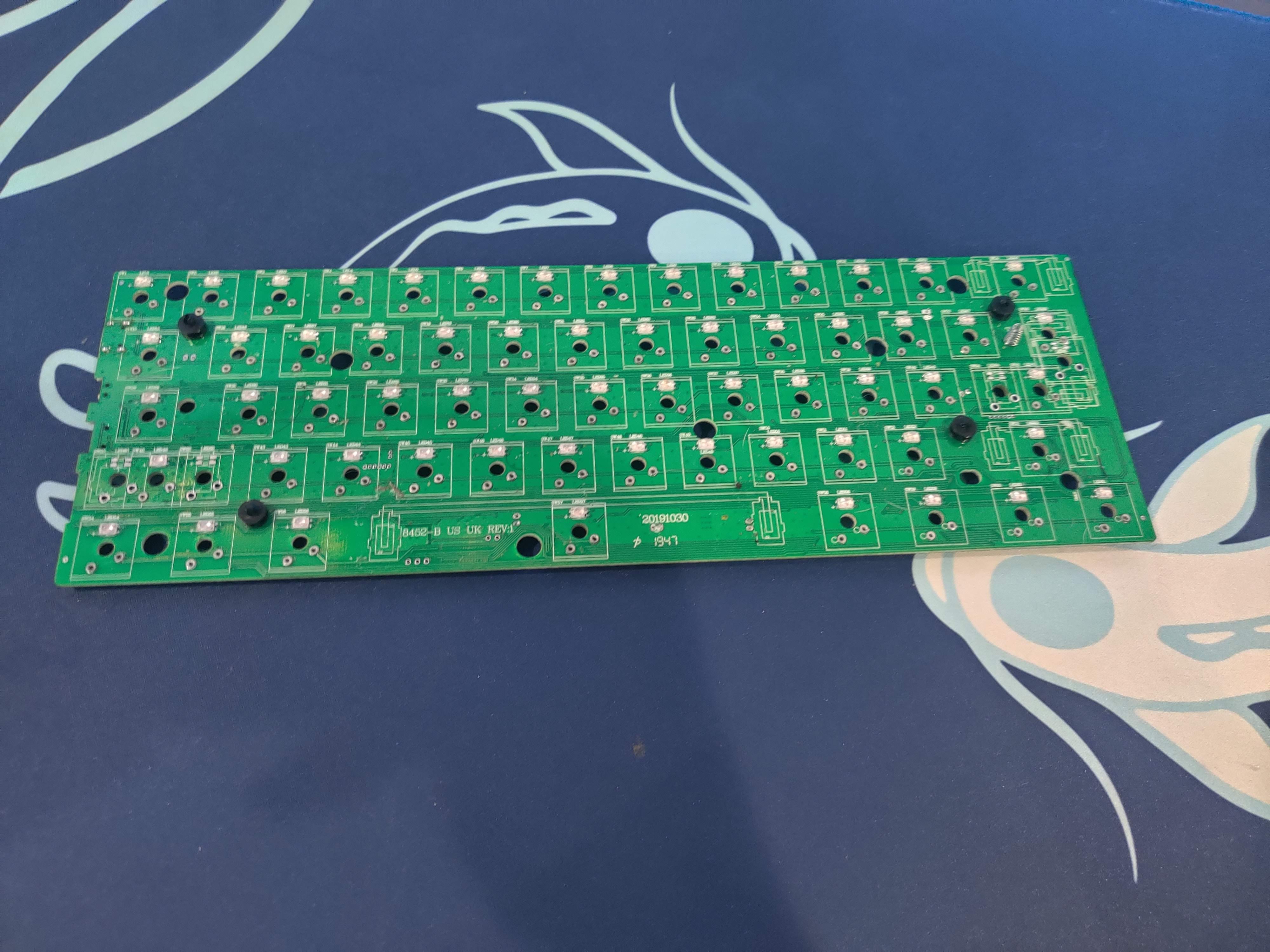
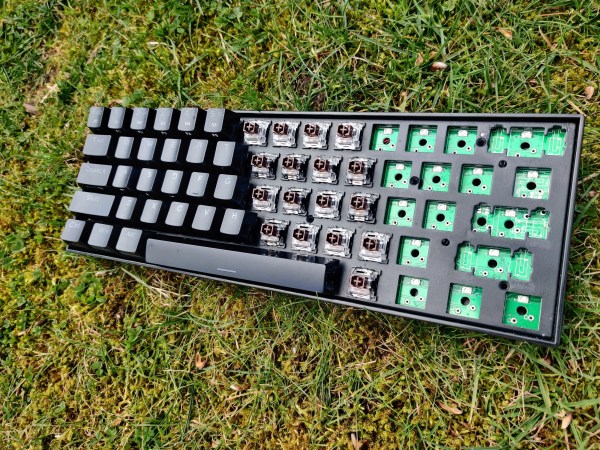
PCB of Redragon K530 keyboard

One of the defining factors of this board is that it is hotswap, meaning that you can change the switches without soldering. While this is a welcome feature in most keyboards it is most welcome if it is done correctly.

Most hotswap boards use sockets from Gateron, Kailh, and Outemu. Some higher-end boards will use millmax sockets but usually, those are the only boards that you have to build and solder yourself. This keyboard uses Outemu hotswap sockets which is a huge problem with this board and is the main reason I haven’t recommended it to many people. Outemu hotswap sockets mean that only outemu switches can be used with the PCB since outemu switches have pins that are slightly less thick compared to other switches like Gateron and JWK.

Furthermore, its only 3 pin hotswap. Meaning PCB mount switches like Boba U4 or U4ts wont work without clipping the legs. This is an easy mod that can be done with a nail cutter but is still not favored by many people since its permanently modifying your switches.

Another problem that directly affects the hotswap is the way the LEDs are mounted. Instead of being mounted flush with the PCB, the LEDs protrude a bit as shown.

This can cause switches that don’t have a SMD cutout to not fit properly. Some examples would be Cherry MX Switches with the black housings and most JWK switches.

To conclude, this keyboard has hotswap capabilities but is limited by the fact it only accepts Outemu switches. Outemu switches aren’t the greatest but they definitely aren’t the worst and Outemu manufacturers many switches that are very good like Boba U4 and U4T. Lastly, the SMD issue limits use with even more switches. For this reason, we can’t recommend this keyboard for people looking for hotswap capabilities.

Advertisements

Wireless

Wireless is where this board shines, it sports Bluetooth 5.0 flawless connecting, a giant battery, and its super easy to connect. It has 2 switches on the side to manage Bluetooth. One for turning the board of and on, and one for changing what device the Bluetooth connects to, and lastly it has a layered button on the keyboard to turn on pairing mode.

Wireless capabilities is definitely where this board shines as it has everything you could possibly need for connecting via bluetooth

Switches
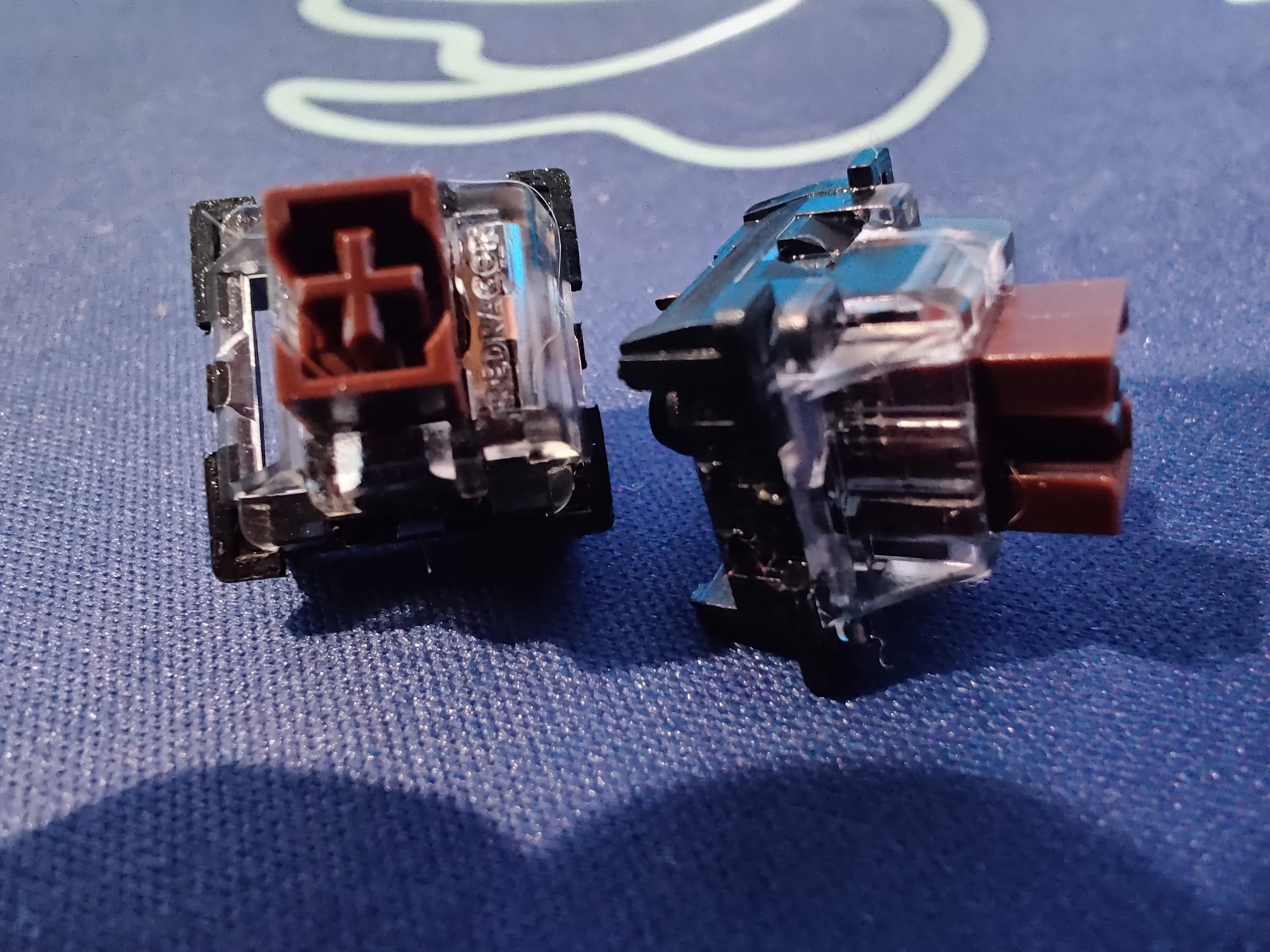
Outemu brown switches

The version of the K530 that we have on hand is the black one with brown switches. These switches are meant to be tactile switches, tactile switches are a mix between linear and clicky; they have the bump of a clicky switch but also aren’t as loud as clickies.

Most brown switches in the keyboard community are known to not have the best tactility. But when I tried these switches I was pleasantly surprised with the amount of tactility they carried.

Redragon K530 with Brown Switches

While the tactility is pretty decent, the spring ping is terrible. The scratchiness and housing and stem wobble is also considerable. The switch uses the Kailh style latches that are quite difficult to open compared to genuine Kailh switches like Box Jades or Box Blacks.

While these do feel better than your average brown switch in terms of tactility, they lose some points in the lack of smoothness and spring ping.

Software

The Redragon software isn’t great but it is something. It is straightforward in terms of lighting and keybinds but if you want to experiment with more layers it will be tough.
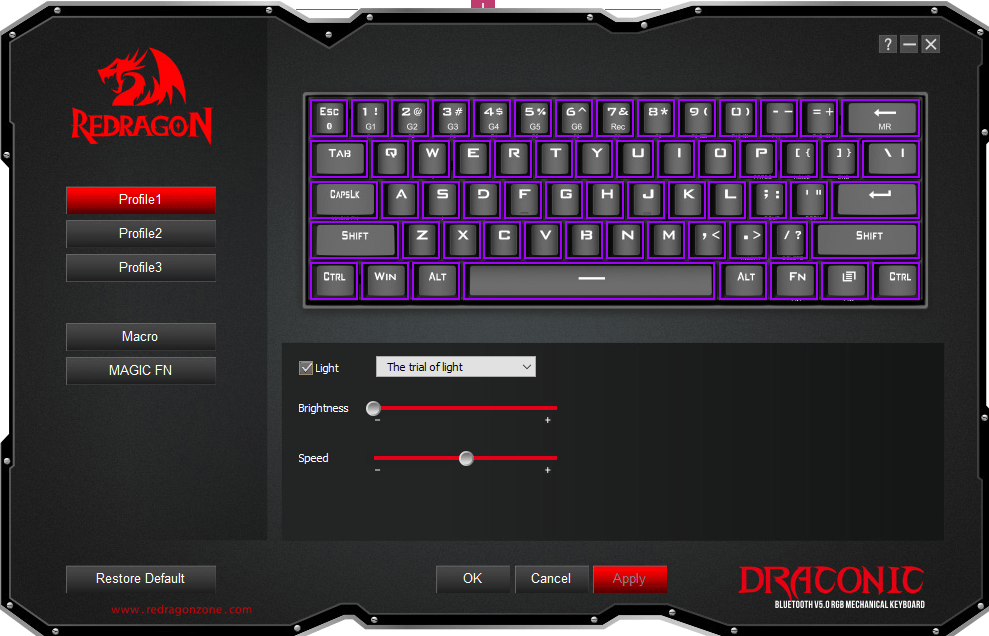
Redragon Draconic Software

RGB control is quite extensive and there are a plethora of effects. The RGB is quite bright and vibrant with very good color accuracy. While the RGB is quite bright it is not as bright as the Drop ALT but not as dim as the Keychron K6. If you are looking for a board for the main purpose of RGB i would recommend something like the Womier/GamaKay K66 or K61 since they are at a similar price point and are very RGB-centric boards.
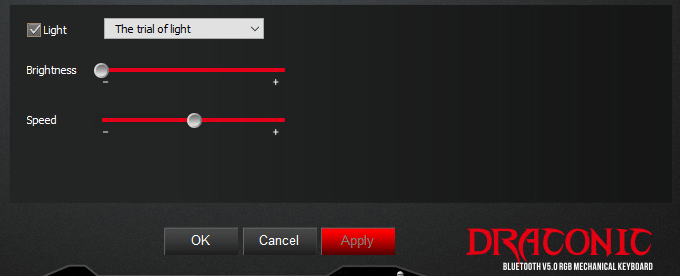
Lighting controls on Redragon Draconic software
Advertisements

Conclusion

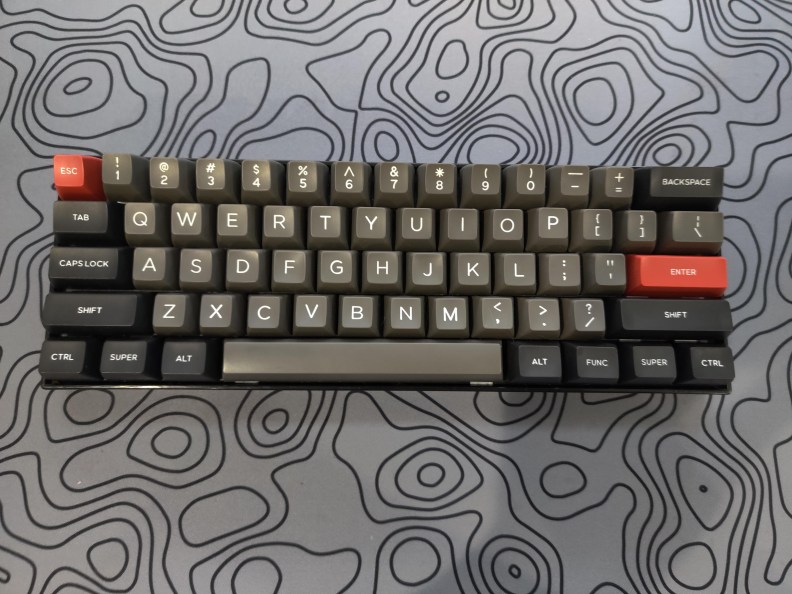
Birds eye view of the Redragon K530
How my K530 looked after thorough modding

Looks can be deceiving and that is the case with the K530. While it is a keyboard that works you won’t be very happy with what you get. The hotswap incompatibilities and the led issues are just too much and outshine anything good with this keyboard.

All in all, I do not recommend this keyboard because of the hotswap and how it does not accept most traditional keyboard switches like Cherry and Gateron switches. The only time I would truly recommend this board is to someone looking for very good Bluetooth, wants a decent tactile experience out of the box, and does not care about hotswap.

Thanks for reading!
Advertisements

Keychron K6 Review: The Best Board For 100?

The Keychron K6 is a mechanical keyboard that is absolutely packed with features such as Bluetooth connectivity and RGB lighting.

In a compact and efficient 65% layout, the K6 delivers many features that make it a great option for anyone who needs a solid keyboard for a good price.

Let’s dive in and take a deeper look at the Keychron K6.

The Verdict

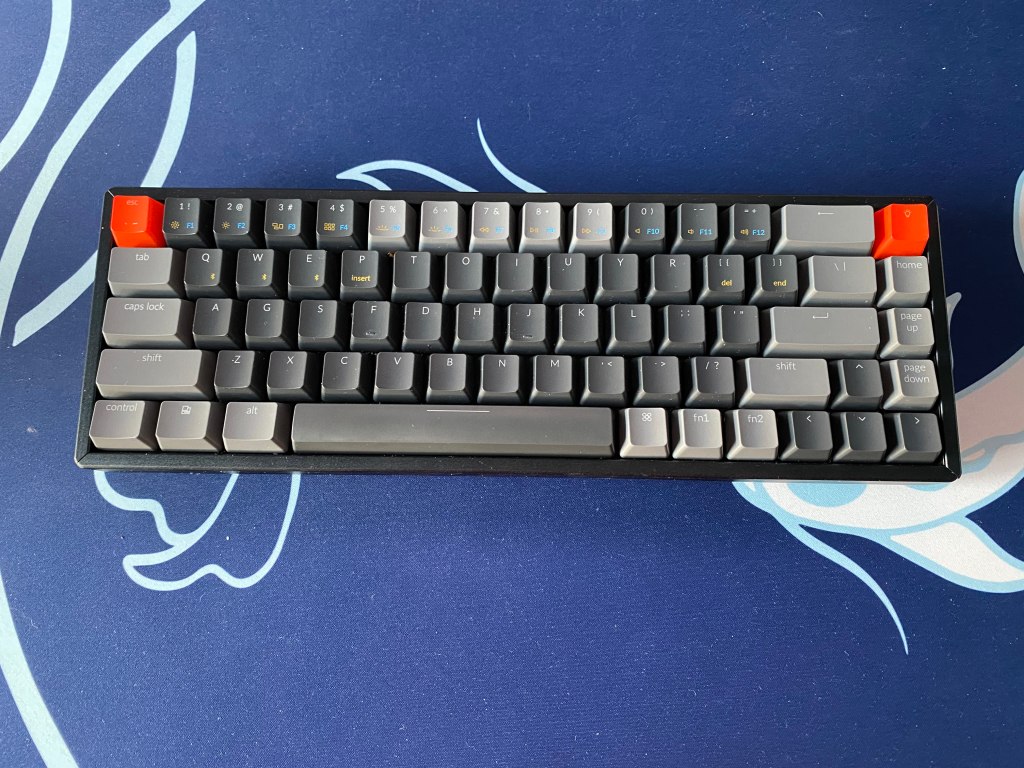
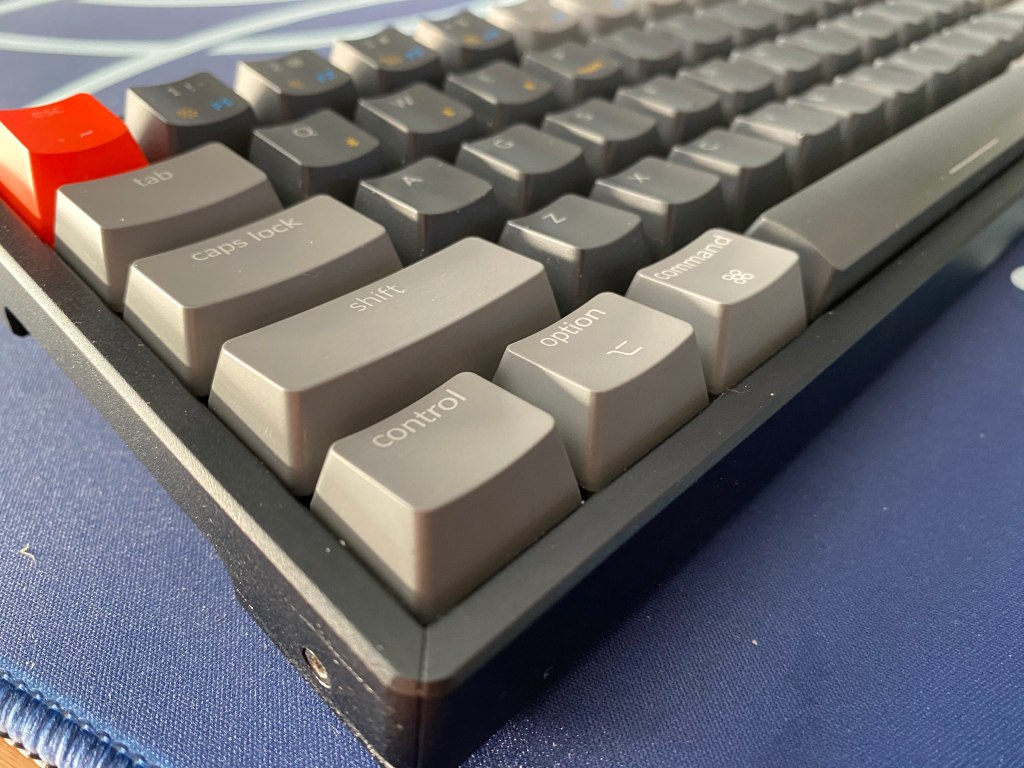
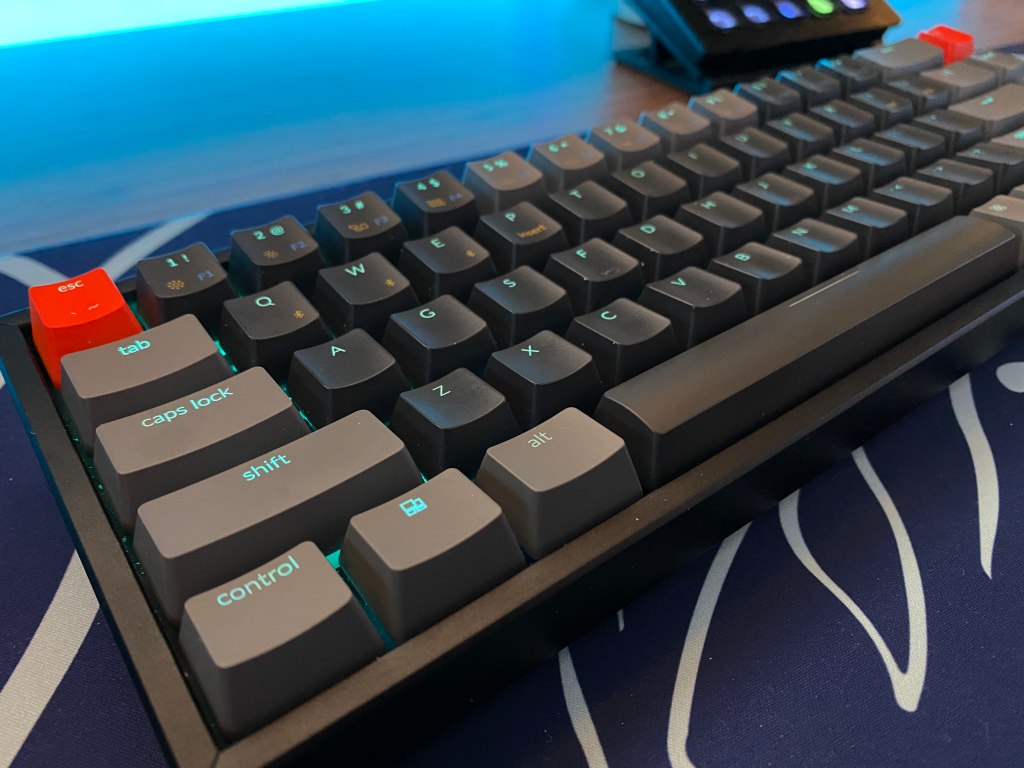
Top view of Keychron K6 mechanical keyboard.

Rating: 4.5 out of 5.

The Keychron K6 is 65% that delivers backlighting, macOS support, and the option to get a hotswappable PCB.

In addition to that, the board features wireless connectivity with Bluetooth 5.1 with an 80-hour battery life.

You get a solid case with an adjustable height and if you are willing to pay about 10 dollars more you can get aluminum bezels.

Keychron gives you a ton of customization on what features you want, obviously at an increased cost, to get an aluminum case, hotswap PCB, and RGB lighting. You are also given the option to choose the three main kinds of switch, clicky, tactile, and linear.

If you want a board with a ton of features and great value all with a compact layout, the Keychron K6 is a great option. It’s not only a great value offering but the K6 also makes for a great travel board.


In The Box

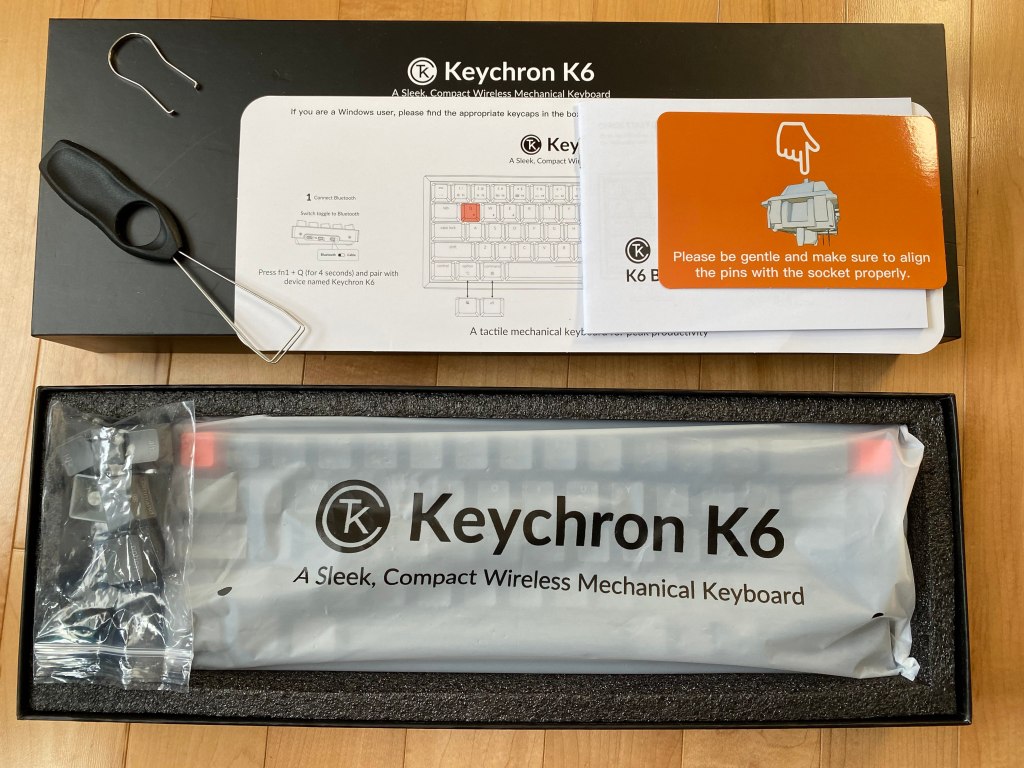
Unboxing of Keychron K6 mechanical keyboard

In the box, the K6 comes with several items that will help you get up and running as well as some extras to improve your experience with the board. In the box you will find:

  • USB-C Power Cable: You get a nice braided cable that is USB-C and has a 90-degree angle because the port is on the side. No kinks developed after months of use.
  • Warranty and Information: Keychron gives you all the essential information on how to use the board with clear instructions along with a pamphlet for warranty information.
  • Extra Keycaps: You get additional keycaps to add orange accents and for better support for both Windows and macOS. There are modifier keys for Windows and macOS-specific keys.
  • Keycap Puller: A wire puller is included which makes the process of taking off keycaps very easy while not scratching your keycaps like with cheaper plastic pullers.
  • Key Switch Puller: If you get the hotswap version of the board then a metal switch puller is included. It is not amazing but it does the job.

Overall it is great that you get so many things in the box and the extras really tie in the experience.


Advertisements

Build Quality

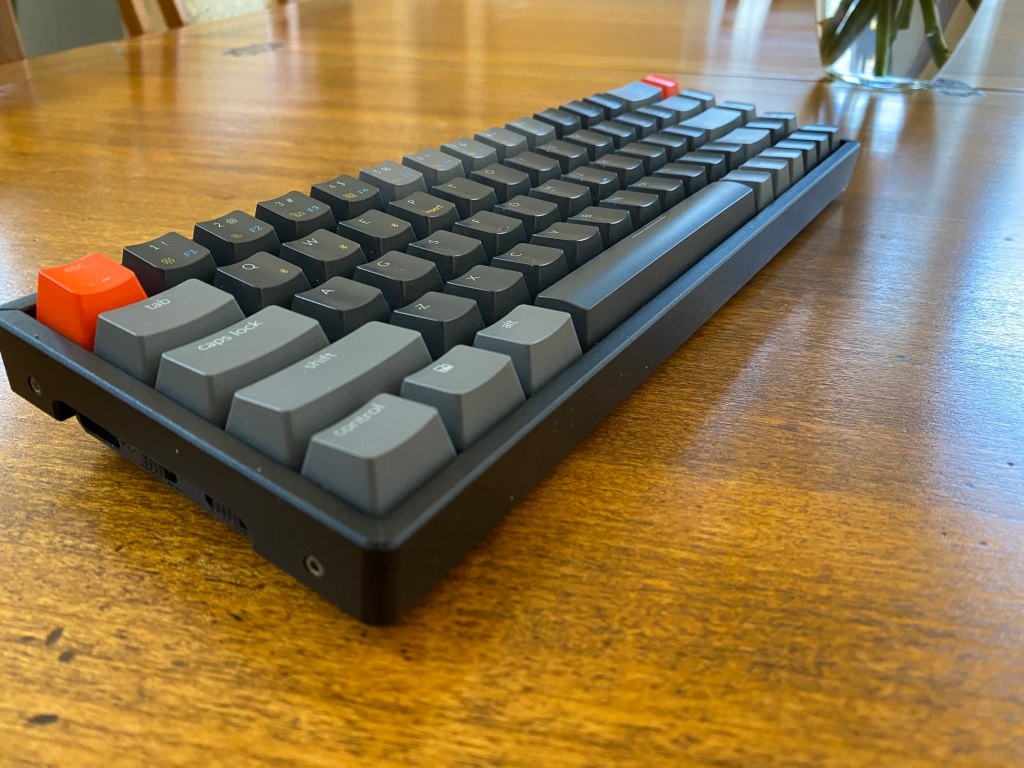
Angled view of Keychron K6 mechanical keyboard

The Keychron K6 has two case designs. Plastic and aluminum. The majority of the case is made from plastic aside from the aluminum top plate. If you do opt for the aluminum version there will be aluminum bezels around the sides for a more hefty feel and premium look.

There is little flex to the board and it feels quite sturdy, especially if you get the aluminum version.

There are 3 levels of height adjustment to the board with a flat typing angle, 6-degree angle, and 10-degree angle. On the bottom of the board, you will also find for moderately size rubber feet to keep the board from sliding around.

The front height was a common complaint with older Keychron boards but while it is still not ideal it is a bit better with the K6. I am able to comfortably type without my wrist rest.

On the left side of the board, you will find a USB-C port along with two buttons. The first button allows you to switch between Windows/Android and macOS/iOS. The other button allows you to switch between Bluetooth, wired, and off.

This is quite a convenient spot for the buttons as it is not in the way and easy to reach but it is not the nicest spot for the cable. It makes cable managing your keyboard cable a lot harder if you are using it in wired and removes the possibility to use custom cables.

For most people, this won’t be too much of an issue, especially if you plan to use the board with Bluetooth.

Advertisements

The Keycaps

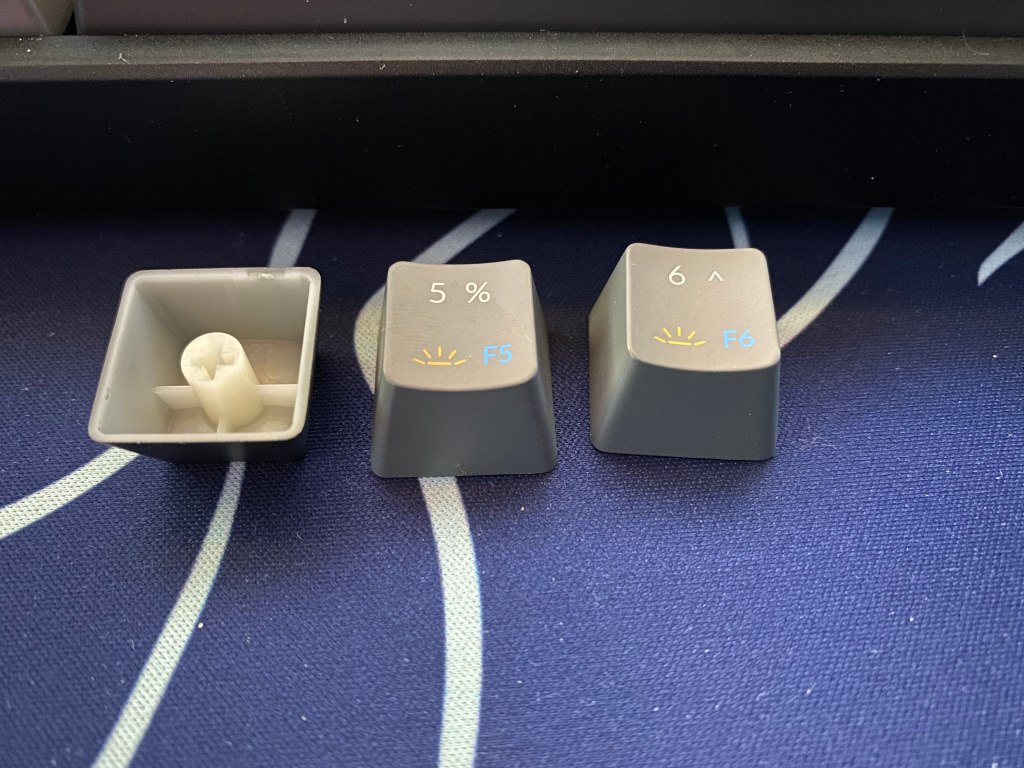
Keycaps for Keychron K6 mechanical keyboard

The K6 comes with a set of ABS keycaps in the OEM profile with doubleshot, shine-through legends. Included are some alternate keycaps including some mac keys and accent keys if you want to add an orange accent to the light or escape keys.

Since the keycaps are made of ABS they will develop shine over time but since the set is pretty good quality for a prebuilt board, it will take at least a month for it to show up. This shine will come from the natural greases and oils from your hands.

The OEM profile is the standard among pre-built mechanical keyboards. The keycaps are contoured to match the shape of your hands. Since this is similar to most pre-built mechanical keyboards, if you have used another in the past it will be very easy to get used to.

Since the keycaps use the doubleshot method for the main legends this means that the legends are reliable and won’t fade away. Although the main legends are shine through there are some printed sub legends to show extra functions that work with the fn1 and fn2 keys.

The keycaps, aside from the orange accent keys, have a gray theme with the use of both light and dark gray. They have a very smooth feel too. The legends on the modifiers look modern and simplistic which is very nice in comparison to other pre-built boards that have aggressive-looking legends.

The Switches

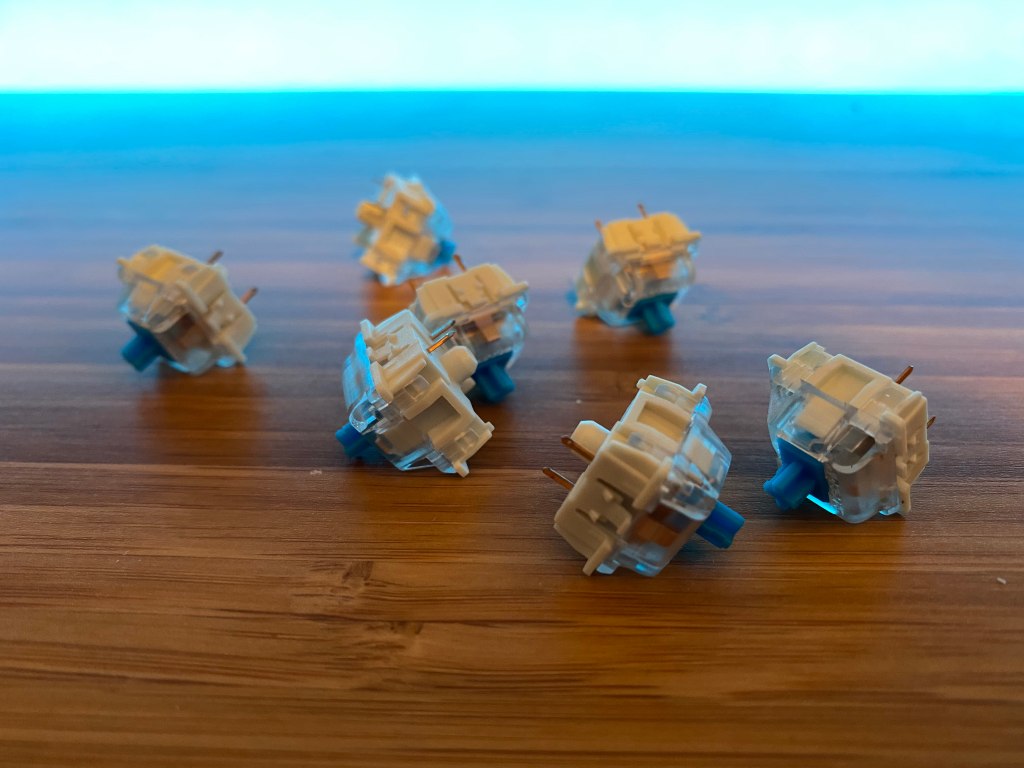
Switches for Keychron K6 mechanical keyboard

Underneath the keycaps, Keychron gives you 3 switch options. You get a clicky, tactile, and linear switch from Gateron.

Gateron RedA light linear switch with a smooth travel
Gateron BrownA medium weight tactile switch with a light tactile bump
Gateron BlueA medium weight clicky switch. It has a loud sound and sharp tactility

Gateron provides some great switches for pre-built boards. All these switches are good options but if you get the hotswappable version of the board, you can replace the stock switches with any option of your choosing.

Gateron’s switches have a durability of 50 million keystrokes which just means that these switches will last a very long time and will probably last longer than the majority of other components on the board.

Advertisements

The Stabilizers

Stabilizers often have a big effect on how a keyboard sounds and Keychron’s stabilizers are some of the better ones that I have tried on a prebuilt keyboard. Keychron has opted to use Cherry Style plate mount stabs that are factory lubed for a better sound and feel.

The sound and feel will also change based on what switches you use. Clicky switches will block out any rattle from the stabilizers while linear switches could make rattle or ping more obvious.

Overall the stabs are not perfect but they are much better than the stabilizers on most gaming keyboards. If you are coming from a Corsair, Razer, or similar keyboards these stabilizers will be an upgrade. If you get hotswap version of the board then you can easily mod the spacebar to sound and feel even better by lubing it and clipping it yourself.

Software (or Lack Thereof)

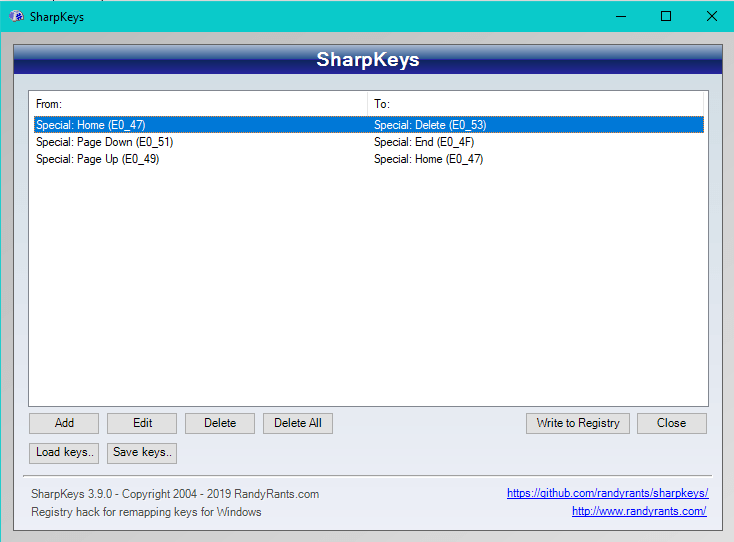
Sharpkeys Software for Keychron K6

Unfortunately, Keychron has no official software or firmware for any of their keyboards.

Keychron has rumored that they are making a software of some sort but little details are known about it and its release date.

Luckily there are some options that Keychron suggests for you to use. On Windows, they recommend that you use Sharpkeys and Karabiner for MacOS (Note: Karabiner won’t work on Linux and GNU based systems). Both softwares work by remapping the buttons of the keyboard input at a low level in the operating system.

This means that all these changes will not actually save to the board so if you move the board to another device none of your mappings will be there. This also means that if you plan to use any other board with your computer that the mappings will be changed because of these softwares.

Hotswap PCB

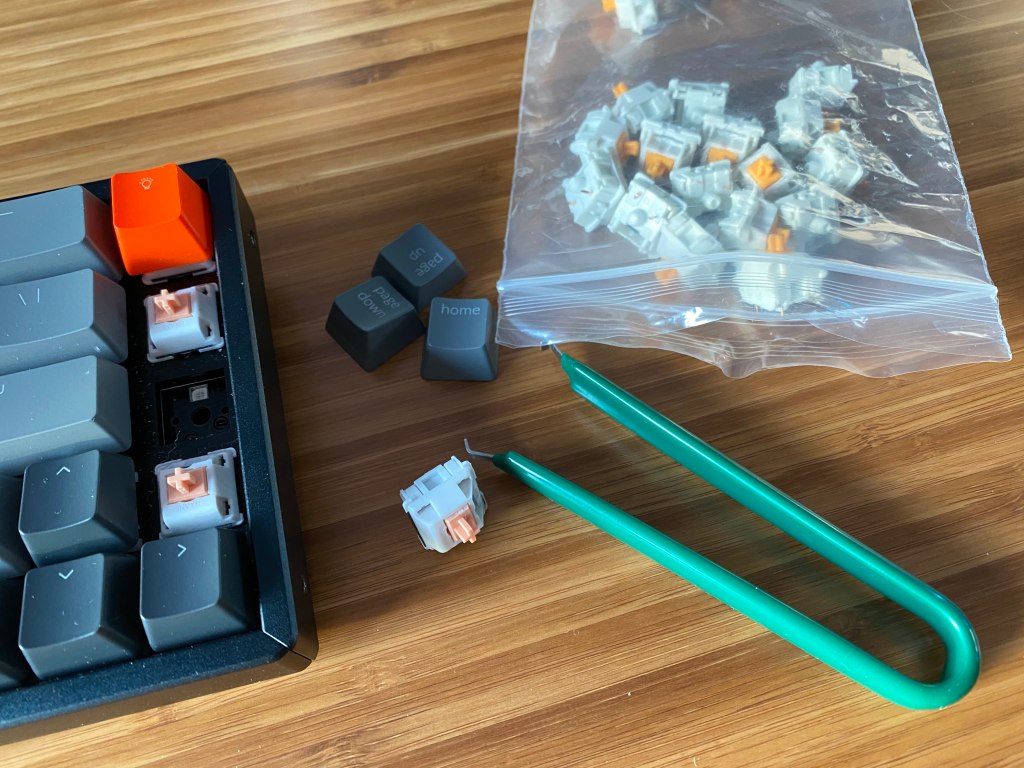
Keychron K6 with switches, keycaps, and switch puller

If you choose to pay extra, you can get a K6 with a hotswappable PCB. This means that you can change the switches without needing to desolder anything. This process takes a few seconds just to take out or put in a switch.

The board supports both 3 and 5 pin switches and it is north-facing. This means that the keyboard supports switches from most switch manufactures including Kailh, Cherry, Drop, and much more. The fact that the sockets are north-facing means that there could be interference between the switch and the keycap with high-end GMK keycap sets but it does allow more of the lighting to get through. This will not be an issue for most people that are in the market for this board though.

A PCB with hotswap sockets is a very useful feature and it makes this board great for those who want to get into the mechanical keyboard hobby but if you just want a keyboard to type on then there is no need to spend the extra money.

Advertisements

Bluetooth Connectivity

One feature that makes the Keychron K6 such a great option is the fact that you can connect the board to three devices with Bluetooth 5.1. This is very useful for those who may use multiple devices or want to travel with the keyboard.

The Bluetooth works with Windows, MacOS, iOS, and Android.

The board supports a 4000maH rechargeable lithium-ion battery. The battery is rated for 80 hours or 10 days with 8 hours of usage, while backlighting is on. This was consistent with my testing. After about 5 minutes of inactivity, the board will go into a low power mode turning off the LEDs. The only complaint you may have is that it takes a few seconds for the board to turn back on.

The latency with Bluetooth actually is not bad. Although I would not recommend it for gaming it is not a terrible experience. Depending on the game, it was not even noticeable that I was still on Bluetooth.

It is worth mentioning that I did have some connectivity issues when I first got the board. At first, the board would not go into pairing mode. I fixed this issue by leaving the board to charge for a few hours and then it worked. Ever since I have never had any issues with Bluetooth.

Mac Support

Angled view of Keychron K6

A very nice feature about all Keychron boards is MacOS support. Many boards only officially support Windows so some boards either won’t work or some of the modifier keys may have no functionality.

On the side of the K6 is a button to change between Windows/Android or Mac/IOS. This is complemented nicely by the Apple-specific keycaps.

This feature is very nice because it means you can use this keyboard no matter what operating system you plan to use. If you are primarily a Mac user then this is one of the best boards that you can get.

Back Lighting

RGB lighting on Keychron K6 mechanical keyboard

The Keychron K6 features either white or RGB backlighting the RGB option will cost a bit more. The RGB lighting is not as bright as gaming keyboards that I have tried from Corsair, Logitech, or Razer. It is not very bright but is still noticeable.

RGB lighting is always nice to have to add to a desk theme and the white blends well in an office environment.

The LEDs along with the modern font of the keycaps are not obtrusive and don’t make the board look overly gamery. The LEDs are versatile for any situation.

Due to the keyboard having no dedicated software currently, all the effects are on the board. There are a variety of effects from static colors to type lighting. With the white LED models you won’t have nearly as many lighting effects.

You can also easily turn on and off the LEDs by pressing either fn1 or fn2 and the light button.

Conclusion: Should You Get The K6?

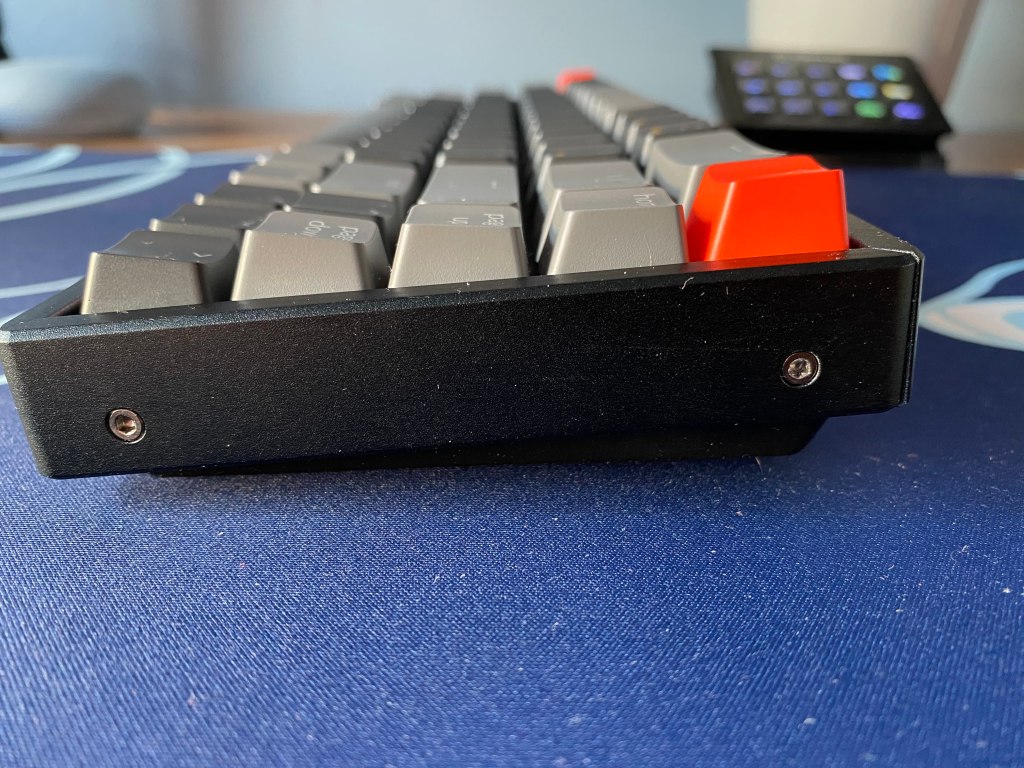
Side view of Keychron K6 mechanical keyboard

The sub $100 price range is very competitive but the Keychron K6 emerges as a great option with great performance and features.

It delivers tons of utility with a nice-looking case. You get Bluetooth, macOS support, backlighting, and the chance to get a hotswappable PCB. You get all the utility that you need while in a compact 65% layout.

The wireless connectivity helps this board be very portable and it allows you to have a clean setup.

The board is quite sturdy with minimal flex and a decent weight for its size.

The only major drawbacks of the board are the fact that the USB-C port is on the side limiting your options for custom cables and cable management options as well as potential Bluetooth connectivity issues. Luckily the connection issue that I faced had a simple fix but, unfortunately, these issues are common.

If you are interested in checking out this board then you can see the Keychron K6 on Amazon.

Also if you enjoyed this article consider checking out some of our other keyboard reviews.

Advertisements

Create a website or blog at WordPress.com

Up ↑